
A video call shows more than your face. It shows the wall behind you, the shelf beside you, and the light on your skin. A background that looks professional does not need an office or expensive gear. It needs a tidy wall, good light, and a camera at the right height, and you can build it in any room. Set up the space the night before a big call so the morning feels calm.
Pick a Background That Stays Quiet and Simple
Start by choosing the spot with the calmest background. A plain wall, a bookshelf with a few books, or a tidy corner all work well. Avoid a bed, a kitchen counter, or a busy hallway behind you, because movement and clutter pull attention away from your face. A quiet background tells the other person that you are prepared.
Clear the frame of anything distracting. Remove laundry, dishes, and personal items from the area the camera sees. Leave one or two simple objects, such as a plant or a framed print, to give the background depth. A background with one focal point looks intentional, while a background with ten objects looks messy.
Place the camera at eye level. A laptop on a stack of books, a monitor on a stand, or a phone on a tripod all work. When the camera sits at eye level, your face looks natural and you can look at the lens without tilting your head. A camera that points up shows the ceiling, while a camera that points down shows the top of your head.
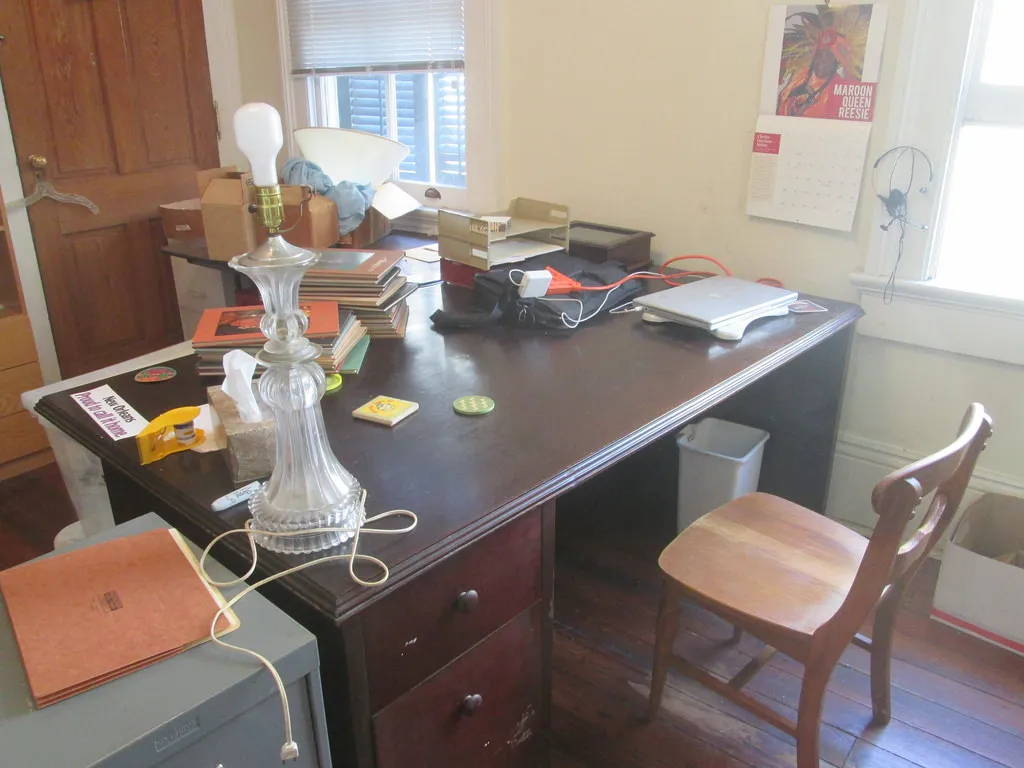
Place the Camera at Eye Level
Sit close enough that your head and shoulders fill the frame. Leave a small space above your head and a little room on each side. When you sit too far away, the background takes over the frame, and when you sit too close, the camera crops your face. Aim for a frame that feels like a passport photo with a little air around it.
Light your face before you light the room. Sit facing a window so daylight falls on your face, and avoid sitting with a bright window behind you. A window behind you turns your face dark, while a window in front of you gives a soft, even glow. If the window is too bright, pull a sheer curtain to soften it.
Add a lamp in front of you when daylight is weak. A desk lamp with a warm bulb, placed just behind the camera, can lift shadows from your face. Avoid overhead lights alone, because they cast shadows under your eyes and make you look tired.
A shelf with three or four books and one plant gives the camera a tidy background with depth. Arrange the shelf so the tallest item sits at the back and the smallest at the front. A shelf arranged this way looks neat without looking staged.
Light Your Face Before You Light the Room
Check the colors in the frame. A wall in a calm color, such as white, gray, or soft blue, keeps the focus on you. A bright red wall or a busy pattern competes with your face. If your wall is bold, hang a plain curtain behind you or move to a quieter corner.
Keep the desk in front of you tidy. A notebook, a pen, and a glass of water are enough. Papers, cables, and coffee cups in the foreground make the frame look cluttered, even when the background is clean. Clear the desk before each call so the frame stays simple.
Frame the Shot Like a Portrait
Dress as you would for an in-person meeting. A clean shirt and a tidy appearance matter as much on video as in a room. The camera shows the top half of your outfit, so make sure the collar and shoulders look neat. A professional look builds trust before you say a word.
Test the setup with a friend or with a recording before the real call. Check the light at the same hour as the call, because morning light differs from afternoon light. Ask the test viewer whether the background looks tidy, the sound is clear, and your face is easy to see.
Sit about an arm length from the camera so your head and shoulders fill the frame. This distance keeps your face clear and the background small. A camera too far away shows too much room, while a camera too close crops your face.
Test the Setup Before the Real Call
Check the sound as well as the picture. Close the door, turn off the television, and move away from noisy appliances. A quiet room with a simple background beats a beautiful room with echo and noise. A headset with a microphone can help when the room is not quiet.
A professional video call background comes from a tidy wall, a camera at eye level, and light on your face. Test the frame before the call, clear the clutter, and sit close enough to fill the frame. With those steps, every call starts with a calm, professional first impression.
A headset with a microphone keeps your voice clear when the room is noisy. Choose a headset that sits comfortably for long calls and mute yourself when you are not speaking.
One good project leads to another. See where Earthy Tones Home Office: Organization & Design takes you next.
Related Articles:
- Earthy Tones Home Office: Organization & Design
- How to Design Bedroom with Ergonomic Chair
- Home Office Organization with Chandelier: A Guide
Designing your own space?
Tell us in the comments which idea you would steal for your home or project.
Share this with someone planning a build or renovation.